
The Work-From-Anywhere Tools I Actually Use
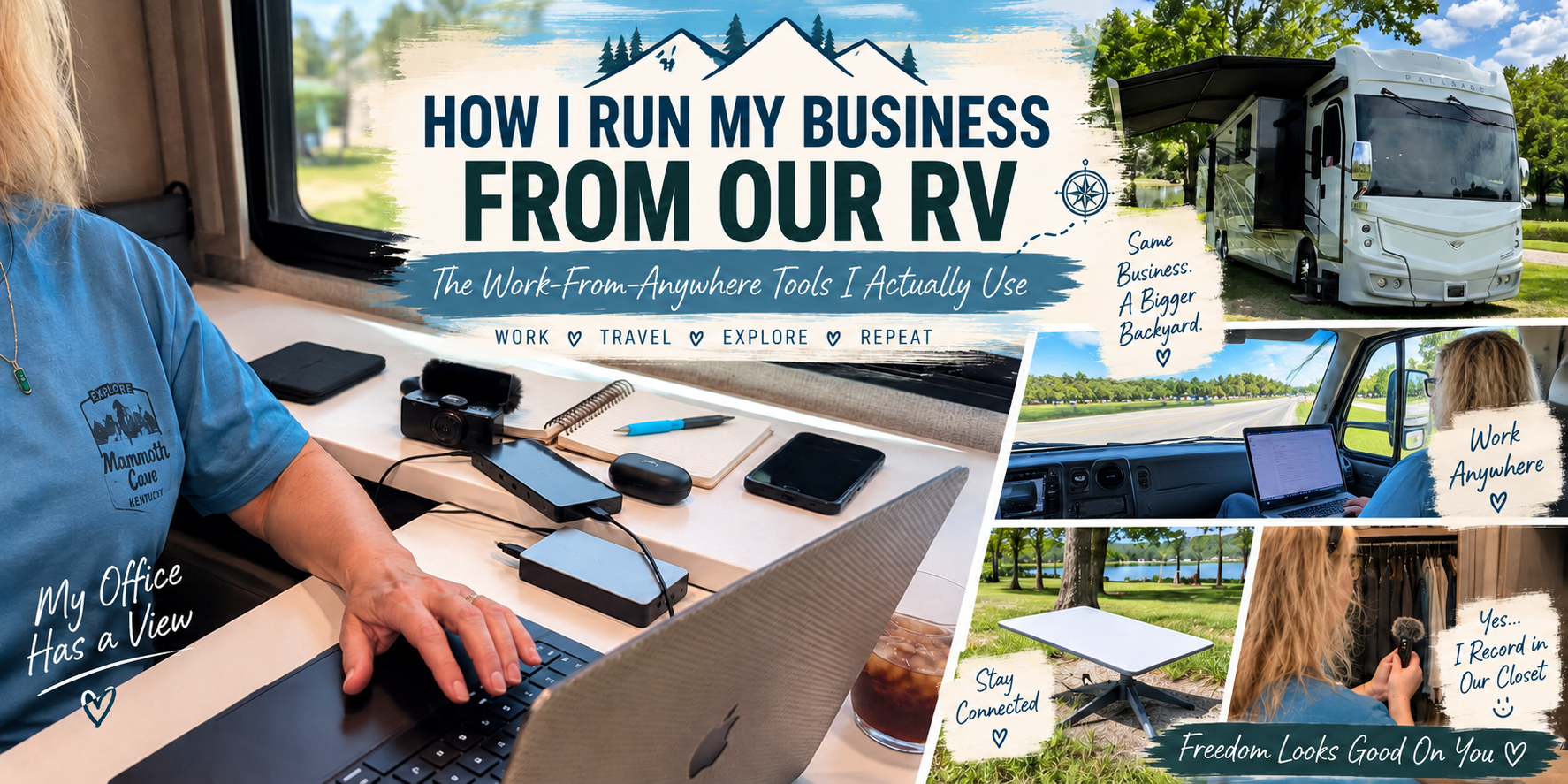
One of the questions I get about traveling in our RV is:
How do you actually run a business from the road?
The short answer is that I have learned to make my business fit around my life instead of making my life fit around my business.
I own a marketing business, which means even when Guy and I are traveling, I still have client content to create, meetings to attend, emails to answer, social media to manage, videos to edit and a business to run.
But I also don't want to drive our RV across the country just to spend eight hours a day staring at my laptop.
Over time, I've developed a combination of technology, routines and work habits that allows me to keep my business running while still having plenty of time to get outside and enjoy wherever we happen to be.
These are the work-from-anywhere tools I actually use — whether my office for the day happens to be our kitchen table, a campground picnic table, my recliner or the passenger seat of our RV.
Disclosure: This post contains affiliate and referral links. If you make a purchase or sign up through one of my links, I may earn a commission at no additional cost to you. I only recommend products and services I personally use. Thank you for your support!
First, My Work-From-Anywhere Philosophy
Before we get into the technology, there is one thing that makes working from our RV possible more than any gadget ever could:
I work ahead.
I am a HUGE batch worker.
Instead of constantly bouncing between clients and trying to create a little bit of content for everyone every day, I assign my clients specific days of the month.
On that client's day, my goal is to create their content for the upcoming month.
Then, throughout the month, I can tap back in, monitor how things are performing and handle anything that comes up.
That system is incredibly helpful when we're traveling because I can look at our upcoming trip and get as much work done ahead of time as possible.
I Also Make Travel Days Work Days
Since Guy does the driving, I have another secret weapon:
The passenger seat.
I get a LOT of work done behind the windshield.
On travel days, I can answer emails, write content, work on graphics, research, schedule posts and take care of all kinds of business tasks while we're rolling down the highway.
Instead of losing an entire day of productivity because we're moving from one campground to another, I can often knock out several hours of work before we arrive.
Once we're settled somewhere, I generally work for about three to four hours in the morning.
Then we go explore.
If I need to, I'll work another hour or two in the evening after we're back at the RV.
That's the balance that works for me.
I'm still running my business — but I'm not missing the reason we traveled somewhere in the first place.
My Mobile Office: MacBook Pro + iPhone
My primary computer is a 2024 14-inch Apple MacBook Pro.
It's powerful enough to handle everything I need for my marketing business, including graphics, video editing, websites, social media content, client work and all of the normal administrative tasks that come with running a business.
More importantly for RV travel, it's portable.
I don't have a dedicated office inside our motorhome.
Depending on the day, you'll find me working:
- At our kitchen table
- In one of the recliners
- Outside when the weather is nice
- In the passenger seat on travel days
My other essential piece of equipment is my iPhone 16 Pro Max.
I use my phone for ALL of our photos and video recording. I don't travel with a separate camera setup. When we're hiking, biking, exploring a town, visiting an attraction or filming something for our YouTube channel, my iPhone is almost always the camera.
That means less equipment to carry and one less thing to think about when we're out exploring.
Staying Connected: Starlink Mini + My Phone Hotspot
Reliable internet is probably the single biggest requirement for working from an RV.
I use a combination of Starlink Mini and my iPhone hotspot. Which one I use depends on what we're doing.
On Travel Days: My Phone Hotspot
When we're driving, I'll typically connect my MacBook to my phone's hotspot.
It's simple, quick and allows me to work while Guy drives.
Obviously, cellular coverage can vary depending on where you're traveling, so there are times when the connection isn't perfect. But for many travel days, my hotspot is enough for the work I'm doing.
At Campgrounds: Starlink Mini
Once we're parked at a campground, Starlink Mini becomes our primary internet connection.
And it isn't just about my work.
We have multiple devices in the RV that need internet access, including our TVs, temperature monitors and the video monitors we use to keep an eye on the dogs.
Rather than reconnecting everything every time we move, Starlink gives us a relatively easy way to get our connected RV life back online once we're set up.
That's a whole separate blog post because our RV connectivity and dog-monitoring setup deserves a conversation of its own!
For my business, Starlink means I can upload files, attend video meetings, work in cloud-based programs and handle most of the same things I would do from home.
My Jabra Noise-Canceling Earbuds
RV living means Guy and I are sharing a relatively small space.
I don't necessarily want him listening to my client meetings. And I'm fairly certain he doesn't want to hear the same 15 seconds of a video approximately 47 times while I'm editing it.
That's why my Jabra Elite 7 Active earbuds have become one of my favorite work-from-anywhere accessories.
I use them for:
- Video calls
- Editing client videos
- Editing videos for our YouTube channel
- Listening to audio while I work
- Walking and exercising
They have adjustable active noise cancellation, and the Sport version stays comfortably in my ears when I'm moving around.
They allow me to sit in the same room with Guy and work without making my work his work, too.
See the Jabra Elite 7 Active Earbuds I use on Amazon
My Portable Power Bank
This one isn't something I use sitting inside the RV very often.
It's something I'm really glad to have when we leave the RV.
Guy and I use our phones constantly when we're exploring. Between taking photos, shooting video, navigating, looking things up and simply using our phones throughout the day, batteries can disappear surprisingly quickly.
I carry a 38,800mAh portable power bank that gives us backup power when we're away from the RV.
It has five USB outputs, an LCD display showing the remaining battery level and USB-C input/output.
For us, the biggest benefit is simple:
We don't have to cut an adventure short because our phones are dying.
And since my phone is also my camera, keeping it charged is especially important.
See the 38,800mAh Portable Power Bank I use on Amazon
Creating Videos From the Road: DJI Mic Mini
Since we're creating more videos of our RV travels, good audio has become increasingly important.
I use the DJI Mic Mini with two transmitters, one receiver and the charging case.
It's small enough that I can easily bring it along when we're exploring, which matters to me. I don't want to walk around an attraction carrying a production studio.
We use the DJI Mic Mini when we're recording while we're out exploring, and I also use it for voiceovers when I'm putting together our YouTube videos.
See the DJI Mic Mini setup I use on Amazon
And speaking of voiceovers...
My Very Glamorous RV Recording Studio
I have discovered something unexpected about our motorhome.
Our walk-in closet has fantastic acoustics. 😂
So yes, I occasionally stand in our closet recording voiceovers.
It's quiet, the clothes help absorb sound and I can get surprisingly clean audio without having a dedicated recording booth.
When you work from anywhere, sometimes you have to get creative.
Apparently my version of a professional recording studio has shirts hanging behind me.
It works!
Canva: My Everyday Design Tool
For graphics and visual content, Canva is one of the tools I use constantly.
I use it for both my own business and client work, including:
- Social media graphics
- Blog graphics
- Presentations
- Marketing materials
- Video elements
- Various client projects
Because Canva is cloud-based, I can start something at home and continue working on it from the RV without worrying about whether the files are stored on a particular computer.
That flexibility is extremely important when your office moves.
CapCut, GarageBand + iMovie
For video and audio editing, I don't rely on just one program.
I use a combination of CapCut, GarageBand and iMovie, depending on what I'm creating.
CapCut is useful for quick social media videos, Reels and short-form content.
GarageBand gives me more control over audio and voiceovers.
And I use iMovie when putting together our longer YouTube videos as well as certain client projects.
I've found that working from the road isn't necessarily about finding ONE program that does absolutely everything.
It's about having a small collection of tools you know well enough to quickly get the job done.
Google Drive: My Filing Cabinet in the Cloud
I use Google Drive extensively for storage, file sharing and collaboration.
This is another tool that becomes especially important when you don't work from one physical location.
I can access client documents, images and other files whether I'm sitting at home in Florida or parked at a campground hundreds of miles away.
I can also share files with clients and collaborate without emailing endless attachments back and forth.
As long as I have an internet connection, my files are essentially traveling with me.
Google Meet: My Conference Room
I use Google Meet for virtual client meetings.
No one on the other side of the screen really needs to know whether I'm sitting in my home office or inside our RV.
Give me my MacBook, my Jabras and a decent internet connection, and I have a conference room.
That's one of the things I appreciate most about running the type of business I do.
My physical location doesn't have to determine whether I can serve my clients.
Calendly: Protecting My Schedule
I use Calendly to allow people to schedule meetings with me without all of the:
"Does Tuesday work?"
"How about Wednesday?"
"What time?"
"Oops, I'm not available then."
Back-and-forth scheduling is one of those tiny tasks that can consume far more time than it should.
Calendly lets me decide when I'm available and gives other people the ability to choose from those times.
When I'm traveling, controlling my availability becomes even more important because I want to protect time for both work and exploring.
Metricool: Scheduling Social Media From Anywhere
I manage social media for clients, which means scheduling is a major part of my workflow.
I use Metricool to schedule both my own content and client content.
This works particularly well with the way I batch my work.
Once I've created a client's upcoming content, I can get much of it scheduled instead of needing to manually publish every post throughout the month.
That means I don't have to stop what we're doing on a travel day or during an afternoon adventure because something needs to be posted.
ChatGPT: My Brainstorming and Work Partner
AI has also become part of my everyday workflow.
I use ChatGPT for brainstorming, research, organizing ideas, developing content, troubleshooting and helping me work through projects.
For me, the biggest benefit isn't having AI simply "do the work."
It's speed.
If I'm staring at a blank page trying to figure out where to start, I can brainstorm ideas, develop an outline, work through different approaches and get moving much faster.
When I'm intentionally trying to limit the number of hours I spend working while traveling, tools that help me work more efficiently are incredibly valuable.
Brevo: Email Marketing
I use Brevo for email marketing and managing the email side of my website.
It allows me to build my email list, create campaigns and stay connected with people without needing to be sitting in a traditional office.
Like many of the tools on this list, being cloud-based is a major advantage.
I can manage email marketing from wherever we happen to be.
Duda: Managing My Website From the Road
My website is built on Duda, which allows me to manage and update my website remotely.
I can add blog posts, make changes, update pages and continue developing LoraShipman.com from my MacBook while we're traveling.
The website has increasingly become a place where I can bring together the different parts of my life — work, travel, RVing and the things I discover along the way.
Being able to manage it from anywhere is a pretty important part of that.
EasyInvoice, Square + Getting Paid From Anywhere
Running a business from the road isn't only about creating things.
Eventually, you need to get paid!
I use EasyInvoice for invoicing clients and Square for collecting payments.
Depending on the client, I also receive payments through ACH, Venmo or PayPal.
The important part is that none of this requires me to physically be somewhere.
I can send an invoice from an RV campground just as easily as I can send one from home.
The Best Work-From-Anywhere Tool Isn't Actually a Tool
I love technology.
I love finding things that make my work easier.
But after working while traveling, I've realized that the tools aren't actually what create the freedom.
The systems do. I...
Batch my work.
Work ahead.
Use travel days productively.
Protect my mornings for focused work.
And then I close the computer and go see where we are.
Some days I might work three or four hours in the morning and then Guy and I spend the rest of the day biking, kayaking, sightseeing or exploring a town we've never visited.
Other days we're driving several hundred miles and I'm sitting in the passenger seat with my laptop getting an incredible amount accomplished behind the windshield.
And yes, occasionally you'll find me standing in our closet recording a voiceover.
There isn't one right way to work from anywhere.
I've simply created a system that works for my business and the life Guy and I want to live.
Because for me, the goal isn't to take my office with me everywhere I go.
It's to build a business that doesn't require me to stay home.
And that's what all of these tools ultimately help me do.
Prices, product availability and features can change. Product and service recommendations in this article are based on what I personally use at the time of writing. Some links in this blog post may award me a small commission. Thank you for your support!